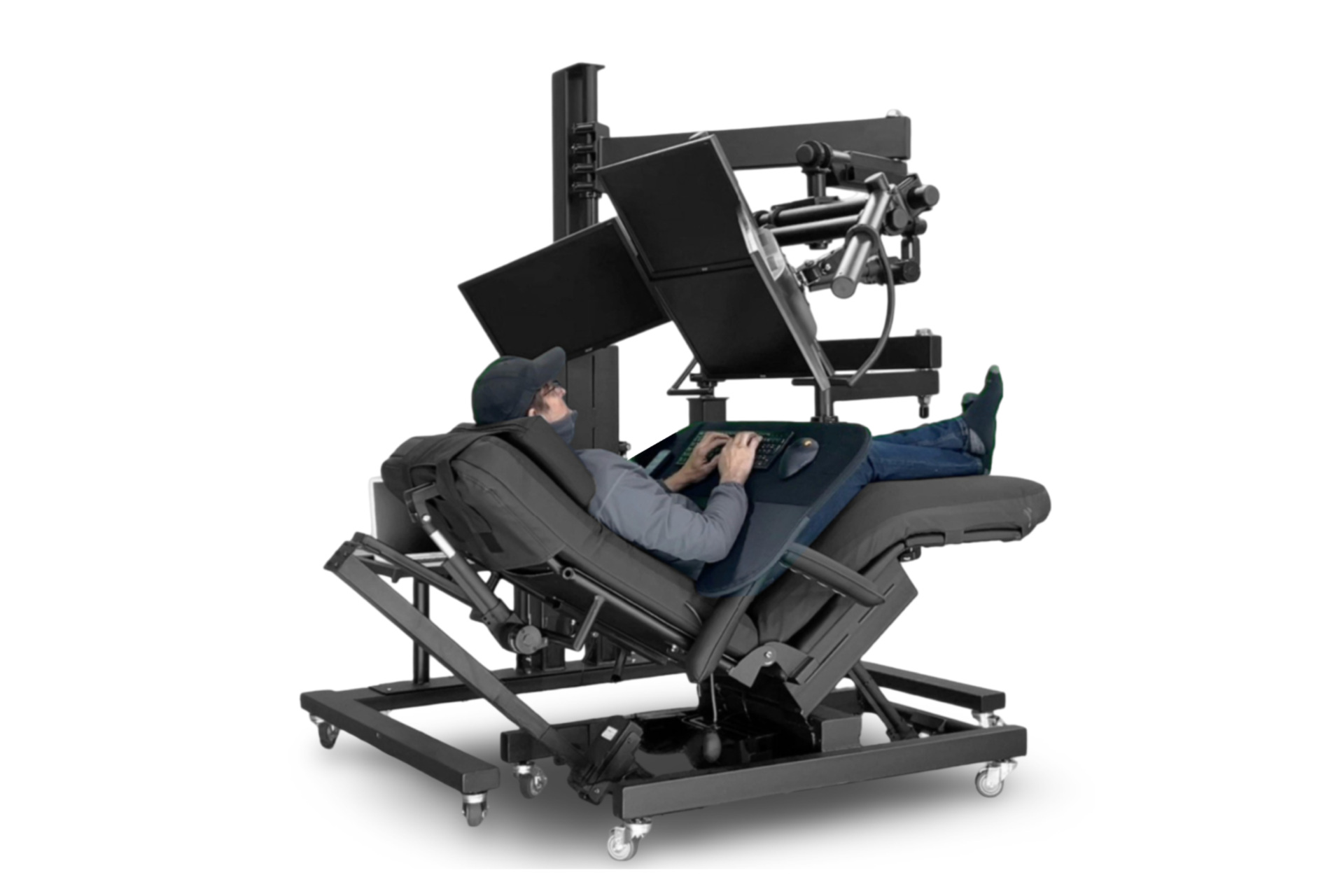
Conventional desks expect the user to remain in roughly the same upright position for hours. ErgoQuest’s Zero Gravity Workstation 2c reverses that relationship: instead of requiring the person to move toward the computer, its articulated structure brings the screen, keyboard and mouse to the person.
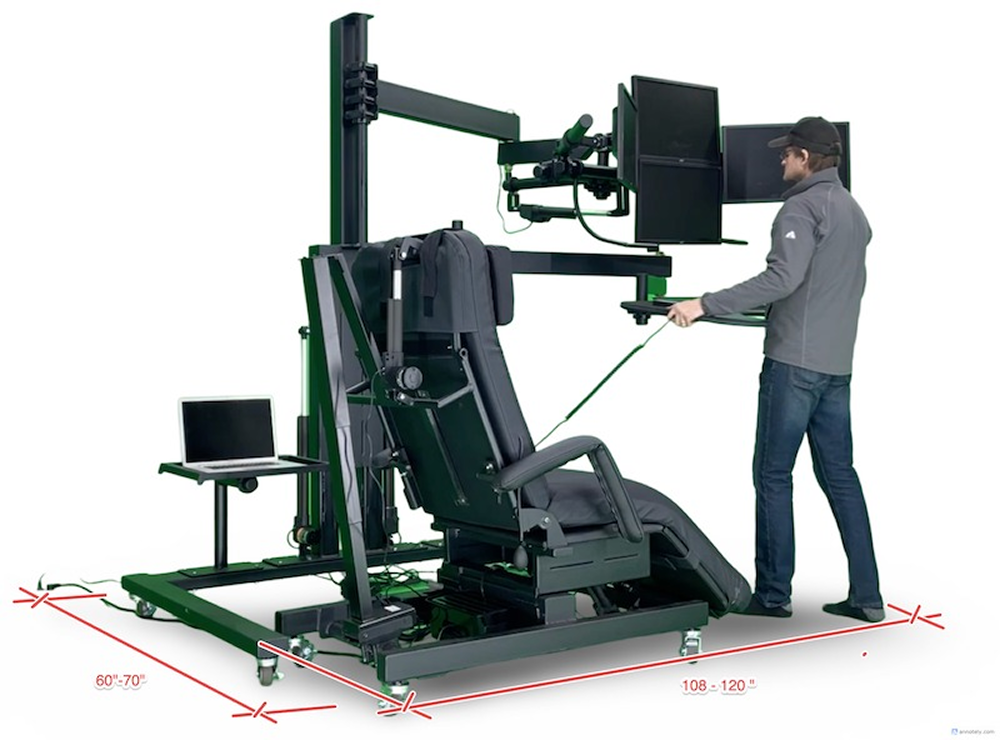
The large motorized workstation can be configured for upright sitting, standing, deep recline or use over a compatible bed. It can surround an existing recliner, pair with ErgoQuest’s Zero Gravity Chair 4 or work with a Human Touch Perfect Chair. The company can also modify the system for unusual spaces, accessibility requirements and alternative input devices.
That flexibility comes with an important distinction. The 2c is a non-integrated workstation, meaning its listed price covers the workstation structure—not the chair, computer or monitors shown in promotional images.
A workstation built around a separate chair or bed
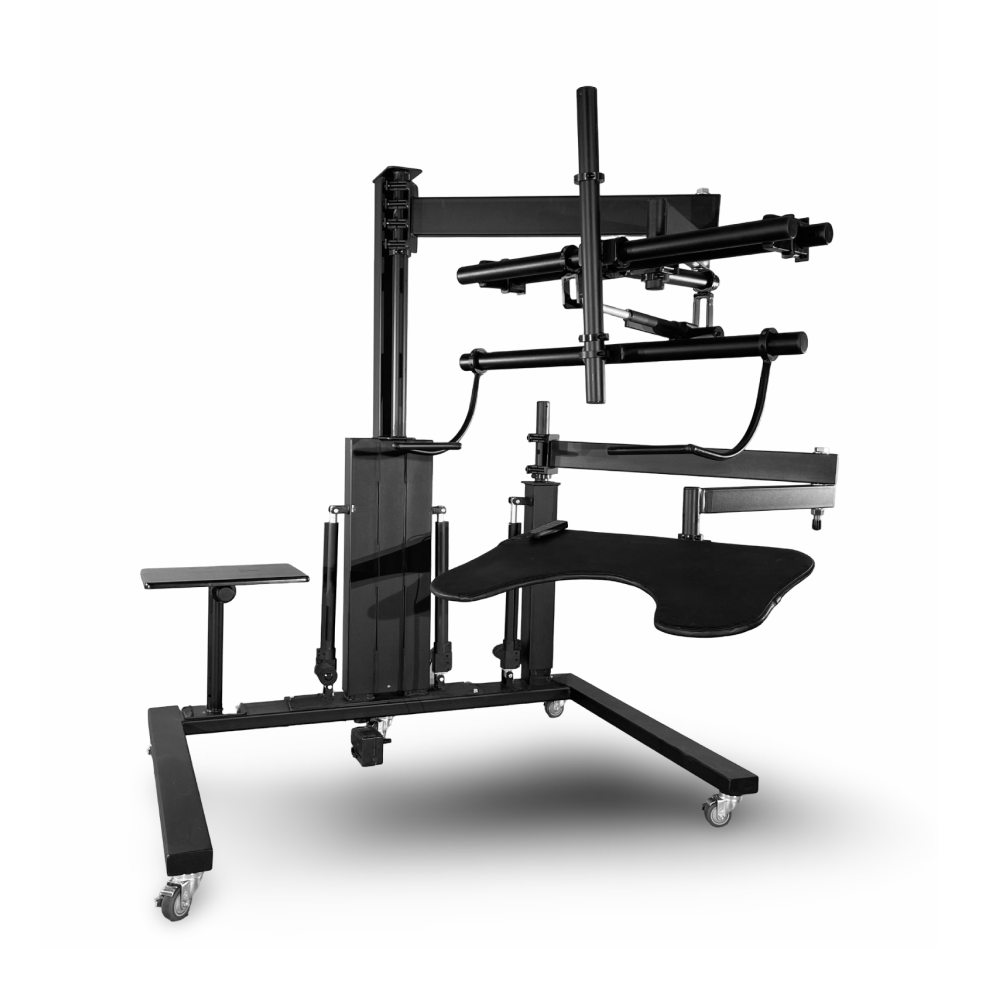
The Zero Gravity Workstation 2c, product code ZGW-2c, consists of a wheeled steel base, vertical lifting mast, articulated monitor support, padded wraparound input tray and adjustable side table. Because the seat is not built into the frame, buyers can select a recliner that fits their body and preferred posture.
The company advertises compatibility with virtually any recliner, but actual suitability will depend on dimensions, armrests, recline movement and stability. A chair must fit inside the base while leaving room for the keyboard tray and monitor arms to move safely.
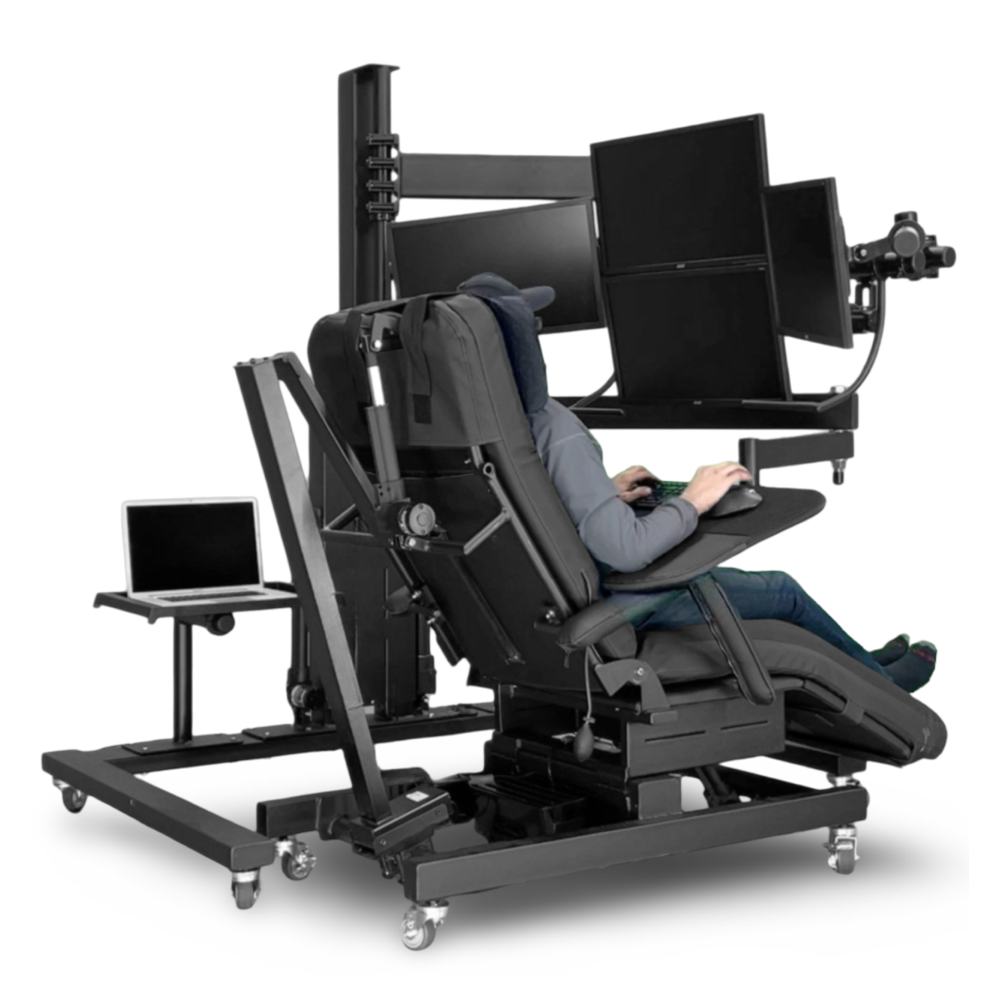
The same principle allows customized 2c installations to span certain beds. Bed compatibility depends on the frame, mattress height, side rails, headboard, footboard and clearance beneath or around the bed. An adjustable hospital-style bed also changes its geometry as it moves, making a measurement-based configuration essential.
Motorized monitor and keyboard positioning
Electric actuators control the height of the monitor assembly, its tilt and the height of the keyboard tray. The screen and input surface can therefore follow the user through several working positions rather than remaining fixed like a normal desk.
The main display arm is counterbalanced, allowing the monitors to be moved toward or away from the user and remain where positioned. This helps bring a screen closer for someone working deeply reclined or requiring a short viewing distance.
The keyboard-and-mouse surface wraps around the front of the body. Its padded shape provides areas for the forearms, while the motorized mast moves the tray vertically. A felt surface works with hook-and-loop fastening material to keep a keyboard and mouse pad from sliding when the tray is steeply tilted.
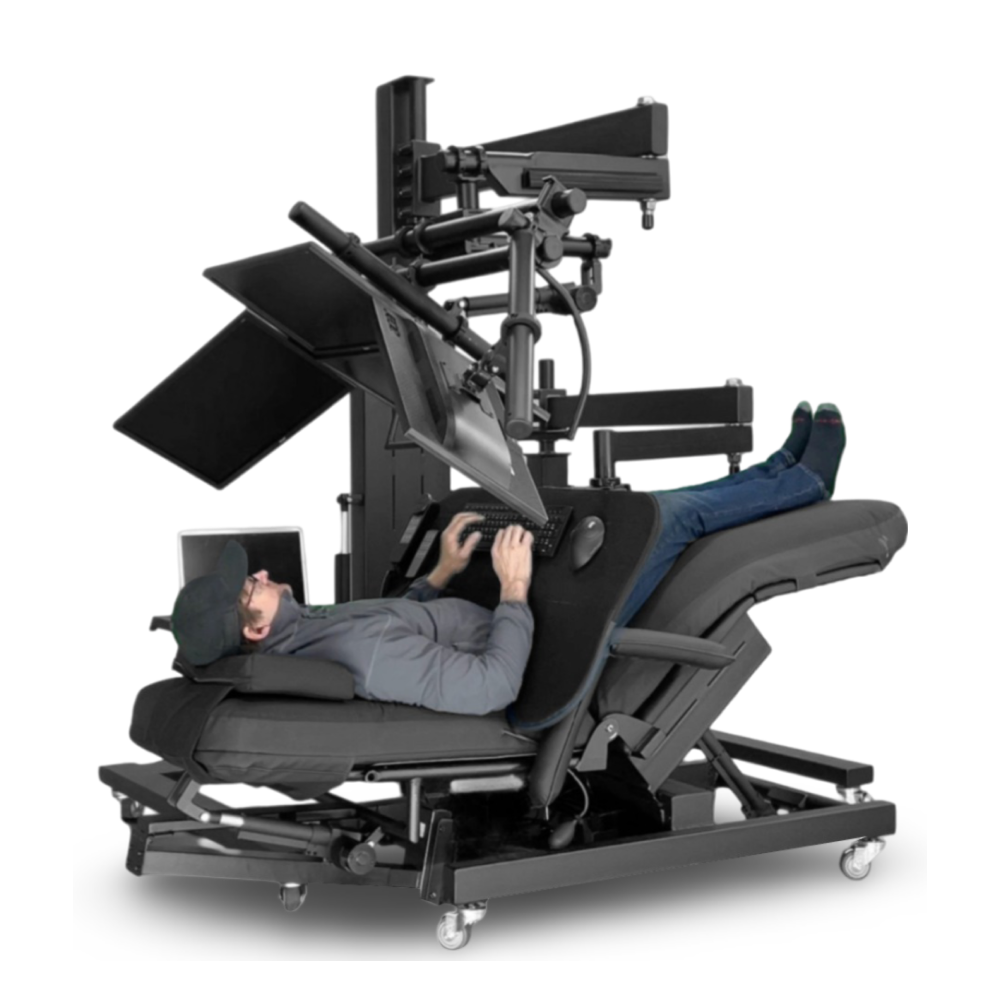
ErgoQuest can produce larger trays for split keyboards, drawing tablets and specialized controls. The adjustable side table can hold a laptop, phone, drink or other equipment.
From one large screen to three monitors
The standard heavy-duty monitor structure is advertised to carry as many as three 30-inch displays. The monitors attach to pan-and-tilt mounts using 75 × 75-mm or 100 × 100-mm VESA patterns.
Screens without standard VESA mounting points require conversion hardware. Monitors and computers are not included in the base price.
Large single-screen and ultrawide configurations are also possible with the appropriate heavy-duty mount. ErgoQuest’s general FAQ says some of its workstations can support screens up to 55 or 65 inches, but that is not a universal specification for every standard 2c. Display weight, mounting pattern and center of gravity all need to be confirmed before ordering.
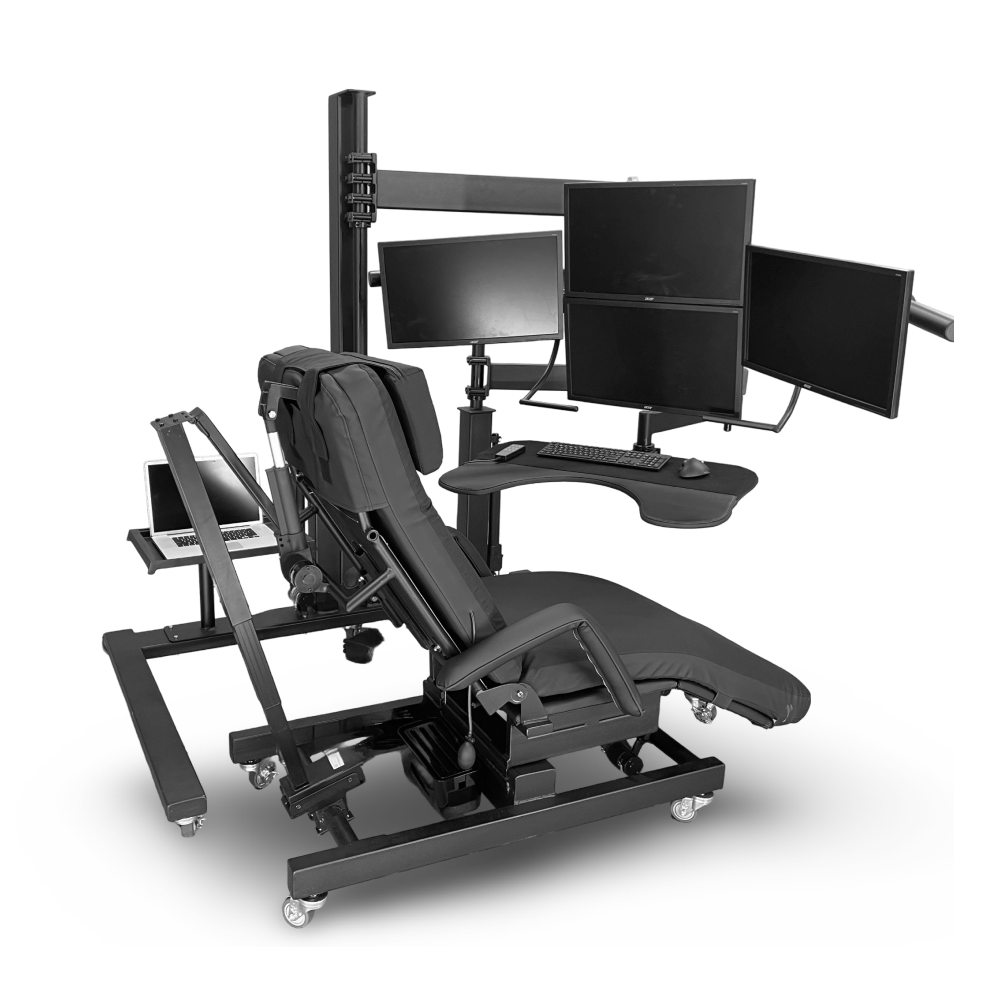
The company recommends approximately 12-ft (3.7-m) cables to accommodate the articulated arms. Channels manage cables along the structure, while floor cables must be kept away from walking paths.
How large is the complete setup?
The 2c is substantially larger than an ordinary office desk. ErgoQuest’s drawings show a base measuring approximately 68 inches (173 cm) across and 48 inches (122 cm) deep. The upper monitor arm extends approximately 40 inches (102 cm), while the wraparound tray reaches about 38 inches (97 cm).
Depending on the selected chair and the position of the arms, the complete occupied setup can measure roughly 60–70 inches (152–178 cm) wide and 108–120 inches (274–305 cm) long. Another drawing shows a reclined-chair configuration occupying approximately 80–85 inches (203–216 cm) from front to back.
ErgoQuest recommends allowing at least 5 × 7 ft (1.5 × 2.1 m) of floor space and a ceiling height of at least 7 ft (2.1 m). Ideally, the workstation should remain approximately 18 inches (45 cm) from the wall.
Overhead clearance deserves special attention. A rising monitor arm could collide with a ceiling fan, pendant light or low ceiling. The system sits on lockable casters, but its size and steel construction mean it is movable within a room rather than easily portable between rooms.
Accessibility and customization
ErgoQuest positions its workstations for professionals, gamers and people who cannot comfortably use a conventional desk. Published customer accounts describe installations adapted for spinal and pelvic injuries, limited sitting tolerance, mobility impairments, chronic pain and alternative typing methods.
One independently published Reviewed profile described a customized ErgoQuest system built for an editor who types with her feet. Her configuration incorporated two computer monitors, a laptop, a separate camera aimed at the keyboard and another display showing the camera feed. That system was not a standard 2c, but it illustrates the company’s willingness to modify its structures around an individual user.
Accessories include webcam arms, device mounts, book holders, speaker supports, a task light and larger trays. A US$2,000 control upgrade can store selected chair and mast positions, although monitor and keyboard reach may still require manual adjustment.
Most products are made to order using room, chair and body measurements. A Grand Rapids showroom allows appointments for in-person testing.
“Zero gravity” does not mean weightlessness
The workstation does not produce actual zero gravity. The term describes a reclined furniture position in which the legs are elevated and the body’s weight is spread across a larger supporting surface. In the 2c system, the selected recliner or bed supports the body; the workstation positions the computer equipment around it.
For people who cannot tolerate prolonged upright sitting, that may make computer work more practical. However, testimonials about pain relief should not be treated as clinical evidence or a guaranteed medical result.
A highly comfortable reclined workstation also introduces a different ergonomic risk: users may remain motionless for even longer. An independent Tech Insider test raised concerns about reduced movement, awkward entry and exit, eating while reclined and the system’s suitability for a collaborative office.
Reclining is therefore not a substitute for regular movement. Users should still change position, take breaks and follow advice from an occupational therapist, clinician or qualified ergonomist when configuring the workstation around a medical condition.
Power, installation and international orders
ErgoQuest says a standard 15-amp electrical circuit is sufficient and the workstation can remain plugged in continuously. The sealed electromechanical actuators require no routine maintenance, according to the company.
European orders include conversion equipment for 220–230-V outlets. ErgoQuest says individual electrical components have UL or CE approvals, but the complete workstation lacks formal overall CE certification.
All hardware is supplied, and setup assistance is available in some locations. Since the completed structure may not pass through a normal doorway, delivery access and final assembly location require advance planning.
Price, production, warranty and returns
The Zero Gravity Workstation 2c is currently listed at US$6,595. The chair, monitors, computer, freight, assembly and most custom accessories are additional.
ErgoQuest normally prepares an individual quotation based on the configuration and destination. Production takes approximately one to four weeks, with complex workstations likely to fall toward the longer end. Freight transit adds further time.
The company offers a five-year warranty on mechanical and electrical components including motors, power supplies, control boxes and hand switches. It says replacement parts are designed to be installed without specialized tools.
A 90-day trial period is available, but it is not a cost-free return. The customer is responsible for outbound and return freight, a 10% restocking fee and any applicable assembly, disassembly or pickup expenses. Returning such a large workstation could therefore be expensive.
ErgoQuest was founded by Jeff Vanden Bosch in 1997 and operates its production facility and showroom in Grand Rapids. More than a futuristic reclining desk, the 2c is best understood as a configurable equipment-positioning system. For most users, a good chair and sit-stand desk will be simpler and much cheaper. For someone who cannot work comfortably at a conventional desk, however, bringing the computer to the body—instead of forcing the body toward the computer—could be the feature that matters most.
Product page: ErgoQuest Zero Gravity Workstation 2c